
Disaster recovery
This page is a triage-first runbook: match your symptom to a scope, then follow the matching recovery. It assumes you take regular backups.
Recover confidence with a periodic DR drill that exercises the backup and restore path end to end. Run it at least quarterly so the procedure and your snapshots are proven before you need them.
Triage
Section titled “Triage”| Symptom | Scope | Go to |
|---|---|---|
One node not ready (/readyz = 503), peers fine |
Single node, transient | Restart a node |
| One node crash-loops on start; logs mention a database error | Single node, corrupt data | Rebuild a node from peers |
| Whole cluster lost data, infrastructure intact | Cluster | Restore from backup |
| Nodes cannot re-form the cluster after an infra change | Cluster | Redeploy and restore |
| One node’s VM has failed or is gone, peers fine | Single node, lost VM | Replace it with the stable-IP swap |
Single node, transient
Section titled “Single node, transient”The node is momentarily unhealthy but the cluster is otherwise fine. Restart it and let it rejoin and re-sync from its peers. Restarting the VM from the Azure control plane is enough; over break-glass SSH you can restart just the service instead:
az vm restart -g <resource-group> -n <vm-name> # or: systemctl restart dtm-servercurl -sk https://<node>:8443/readyz # wait for 200No rebuild needed. Target: minutes.
Single node, corrupt database
Section titled “Single node, corrupt database”The node crash-loops and its logs indicate a database problem. Hayami DTM checks the database for damage at startup before it opens it, so a corrupt or truncated file is never served as if it were good data.
On a healthy cluster this repairs itself automatically. When a node finds its database damaged at startup and can confirm at least one other node is healthy and ready, it:
- Sets the damaged file aside (renames and keeps it, never deletes it) for post-mortem.
- Starts with a fresh database, rejoins, and rebuilds a full copy of cluster state from a healthy peer.
The node stays out of service until it has fully caught up, so clients are never sent to a node that is missing your data. Usually no action is needed beyond confirming it recovered.
The heal also reads the node’s signing key out of the damaged file, so the
node keeps its cluster identity and needs no readmit. If the key cannot be
recovered, the node refuses to heal: it leaves the damaged file in place
and stays down, logs autoheal: REFUSING to heal, and counts
salvage_failed in dtm_storage_autoheal_total. Recover it from your
backup, or by the manual
reseed and readmit at the end of this section.
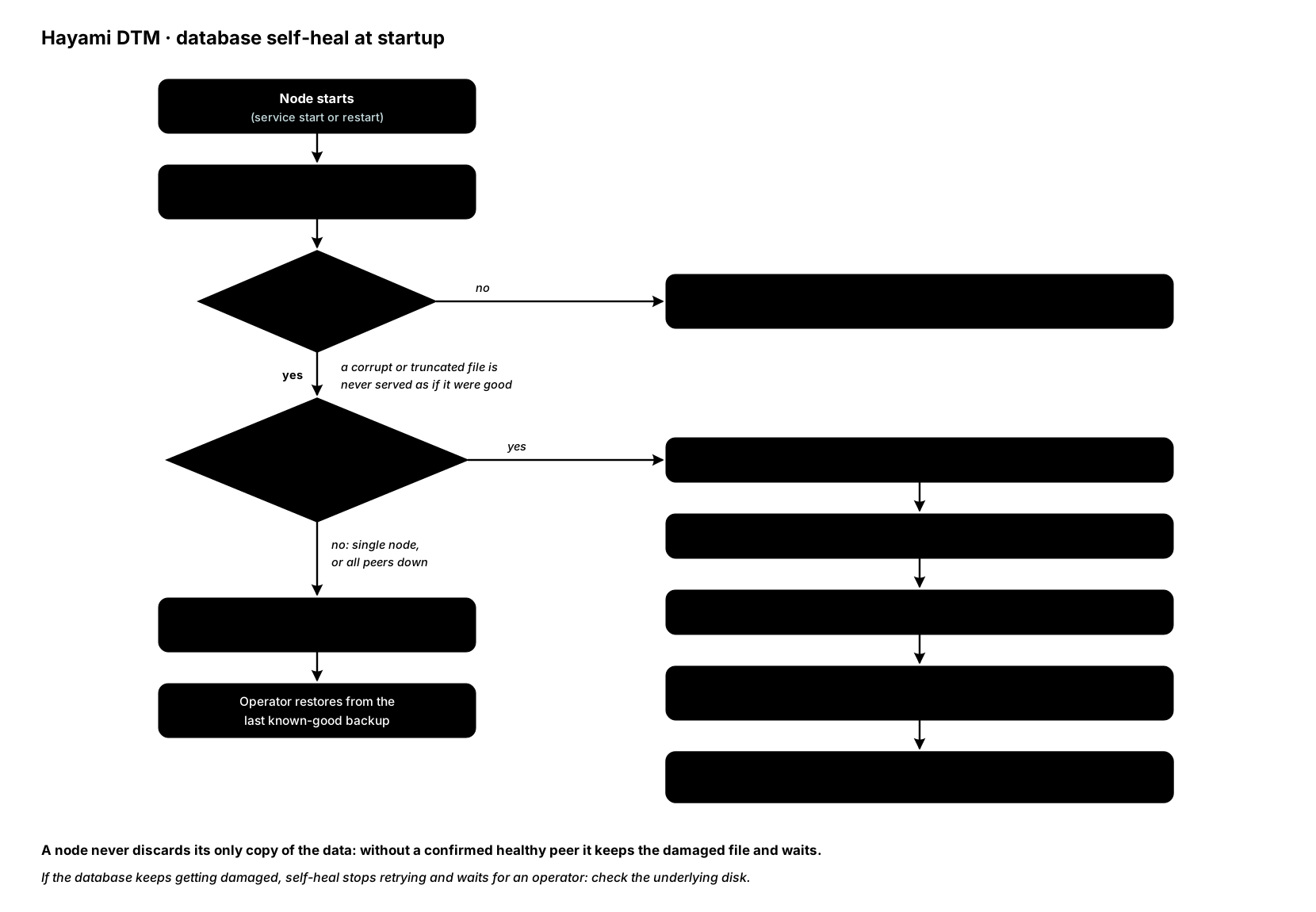
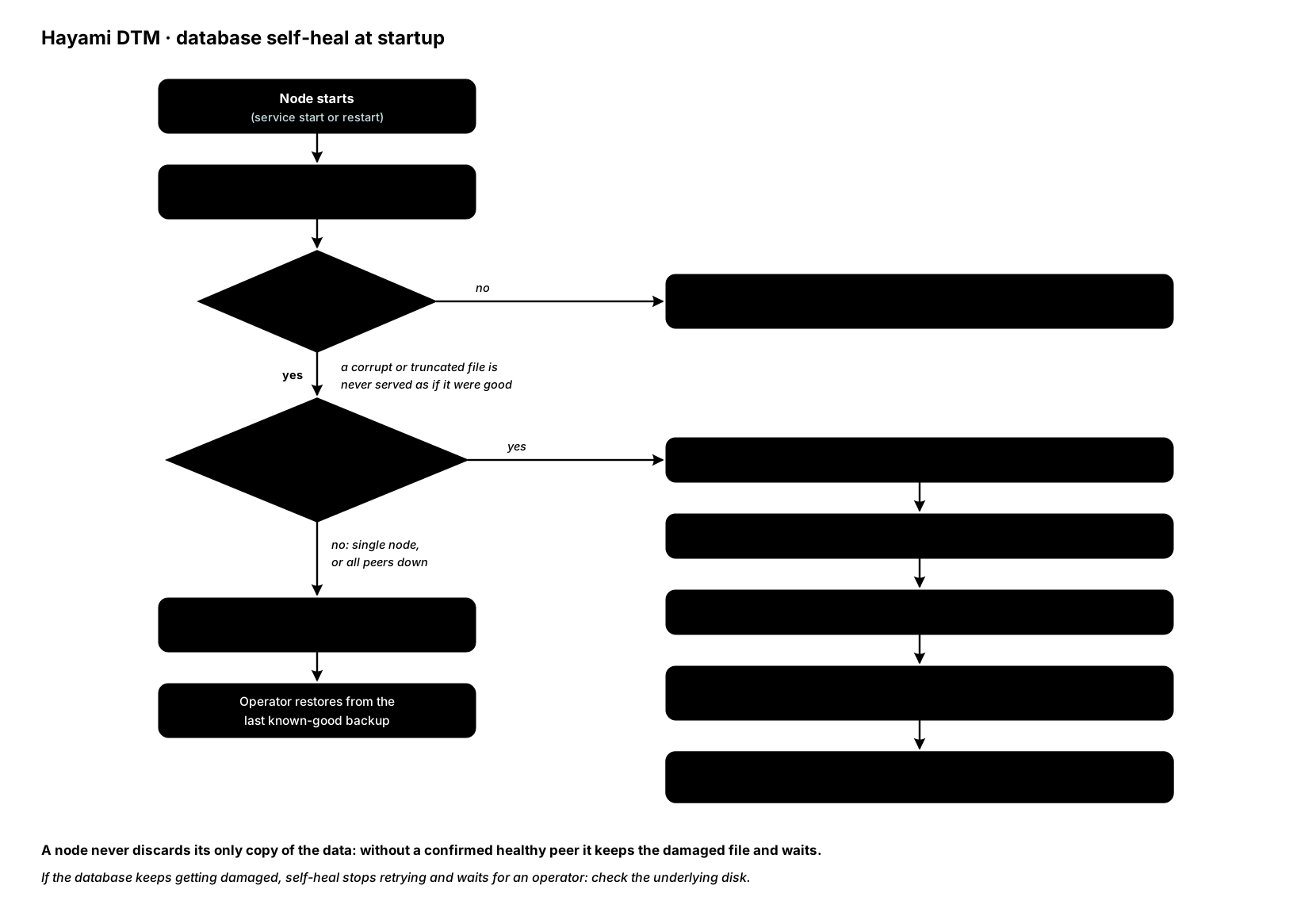
Safety limit. A node will never discard its only copy of the data without first confirming a healthy peer to rebuild from, so when it cannot confirm one it keeps the damaged file. What happens next depends on whether there is a peer to wait for:
- Clustered node, every other node down or unreachable: the node stays out of service and waits, re-checking its peers every 10 to 60 seconds, then heals itself as above from the first peer that reports ready. Restore the peers or the network path to them; do not restore this node from backup, which would roll it back to the backup’s age instead of the cluster’s current state.
- No peer to wait for (a single-node deployment, or a node with no peers configured), or the whole cluster lost: the node cannot heal itself. Restore from your last known-good backup; if the API on that node is unreachable, use the offline break-glass restore instead.
If a node’s disk keeps damaging the database, self-heal stops retrying and waits for an operator, which is your signal to check the underlying disk: fix the disk first, then restore from backup.
If you ever need to do this by hand (for example self-heal has been turned off),
it is a break-glass SSH task, and only with a confirmed-healthy peer live: stop
the service, move the database file and any sidecar files aside (keeping the
corrupt file), and start the service again. The node rebuilds its data from a
peer, but unlike the automatic heal it does not keep its identity: it creates a
new signing key that its peers refuse, so DNS and /readyz look healthy while
every API token the node issues is rejected by the other nodes. Readmit it from
a healthy node (admin role), then restart dtm-server on the rebuilt node
within ten minutes of the readmit:
# Retire the node's old identity (add ?force=true if it is no longer listed# in GET /api/v1/nodes)curl -sk -X DELETE https://<healthy-node>:8443/api/v1/nodes/<id> \  -H "Authorization: Bearer $DTM_TOKEN" \  -H "X-DTM-CSRF: 1"
# Readmit the id, against the same healthy nodecurl -sk -X POST https://<healthy-node>:8443/api/v1/nodes/<id>/readmit \  -H "Authorization: Bearer $DTM_TOKEN" \  -H "X-DTM-CSRF: 1"
If the restart misses the ten-minute window, the peers keep refusing the new
key: readmit again and restart. Confirm with a token issued by the rebuilt node,
sent to a different node: expect 200, not 401.
Verify with /readyz = 200 and by comparing zone and record counts (from
GET /api/v1/stats, which returns both in one call) against the other
nodes. Target: tens of minutes.
Whole cluster, restore from backup
Section titled “Whole cluster, restore from backup”If the cluster lost data but the infrastructure is intact, restore from your last known-good snapshot. Pick a snapshot from before the failure (not necessarily the newest). Follow the whole-cluster restore procedure. Target: around 30 minutes depending on data size.
Cluster cannot re-form
Section titled “Cluster cannot re-form”If nodes are up but cannot rejoin each other after a significant infrastructure change, the reliable path is to redeploy the cluster with a fresh, consistent set of deployment credentials applied to all nodes together, then restore your data from the latest snapshot. Perform cluster credential changes as an all-nodes-at-once operation rather than node by node.
Changed in v1.0.6: a cluster deployed again from scratch, here or after
losing the whole deployment, has a new cluster encryption key, and a snapshot
opens only under the key it was taken with. So the ordinary restore refuses
the old snapshots, and --accept-cross-cluster does too. Restore them with --source-key-file and the old key (from your
escrow copy, or the old deployment’s Key Vault secret dtm-gossip-key), as in
Restore a snapshot taken under another key,
then continue the
whole-cluster restore procedure.
Without the old key, the snapshots cannot be restored.
Verify recovery
Section titled “Verify recovery”After any recovery, confirm:
- Cluster size:
dtm_cluster_nodes(orGET /api/v1/nodes) equals your deployed node count, allalive. - Data: zone and record counts match your pre-failure baseline.
- DNS: the same name resolves to the same answer from more than one node.
- The audit log is readable.
Recovery objectives
Section titled “Recovery objectives”The target times above are goals, not guarantees; they depend on data size and your infrastructure. Set your backup cadence to match the data-loss window you can tolerate. See backup and restore for cadence guidance and SLA and SLO for availability targets.