
Adopt DTM one zone at a time
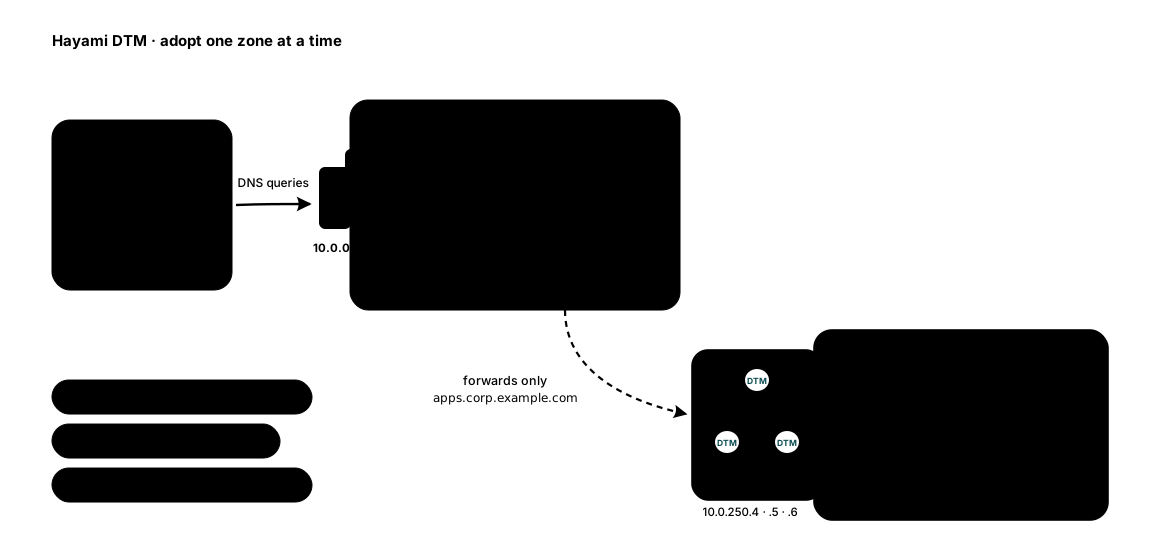
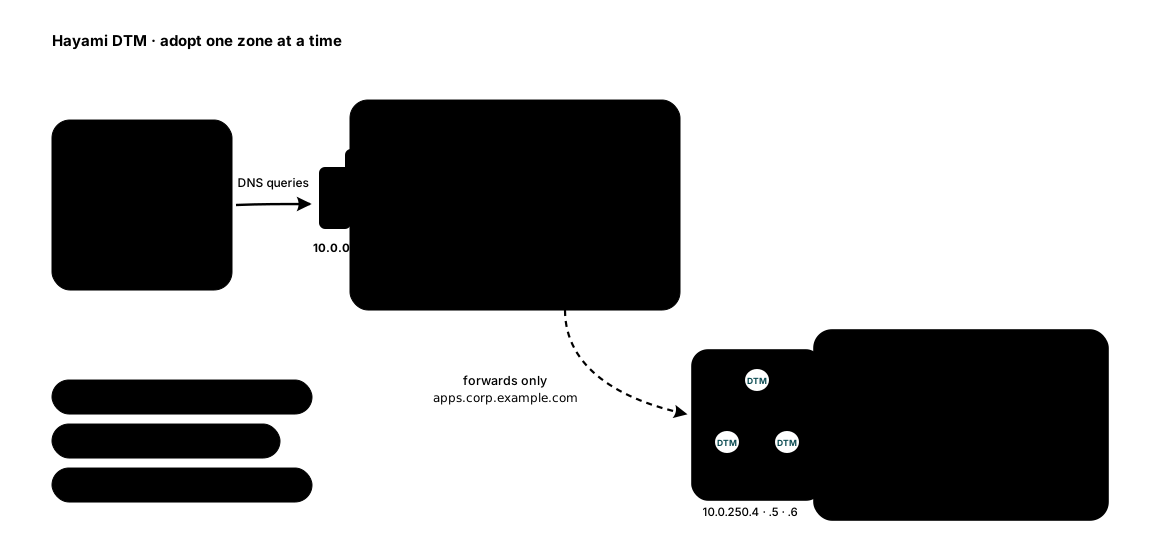
You do not need to migrate anything to start using DTM. Create one new zone in DTM, add one conditional forwarder on the DNS servers your clients already use, and that zone is live for your whole estate: health checks, load balancing, failover, Terraform, the lot, on day one. Nothing about your existing DNS changes, and rollback is deleting the forwarder.
This tutorial walks the pattern end to end with Windows DNS on domain controllers, the most common established estate. The same shape works with any DNS server that can conditionally forward (BIND, Infoblox, others).
1. Create the new zone in DTM
Section titled “1. Create the new zone in DTM”Web UI (Zones then Create Zone), API, or Terraform. As code:
resource "dtm_zone" "apps" {  name        = "apps.corp.example.com."  default_ttl = 60}
resource "dtm_record" "api" {  zone_id = dtm_zone.apps.id  name    = "api"  type    = "A"  values { value = "10.0.2.10" }  values { value = "10.0.3.10" }}
Or with curl:
curl -sk -X POST "https://10.0.250.4:8443/api/v1/zones" \ -H "Authorization: Bearer $DTM_TOKEN" -H "X-DTM-CSRF: 1" \ -H "Content-Type: application/json" \ -d '{"name": "apps.corp.example.com.", "default_ttl": 60}'A short default TTL (60 seconds) keeps failover fast once caches are in the path. Add health checks to the records you care about; the Quickstart covers the record and health-check steps on all three surfaces.
2. Add one conditional forwarder on the DCs
Section titled “2. Add one conditional forwarder on the DCs”One command, run once. -ReplicationScope "Forest" stores the forwarder in
AD, so every current and future DC in the forest gets it automatically:
Add-DnsServerConditionalForwarderZone -Name "apps.corp.example.com" ` -MasterServers 10.0.250.4, 10.0.250.5, 10.0.250.6 ` -ReplicationScope "Forest"List all DTM nodes: Windows DNS retries across them, so a node down during a rolling upgrade does not interrupt resolution.
3. Verify from a client
Section titled “3. Verify from a client”From any domain-joined machine, still pointed at the DCs as always:
Resolve-DnsName api.apps.corp.example.com# and confirm the AD zones are untouched:Resolve-DnsName corp.example.com -Type SOAThe first answer came from DTM (via the DC forwarder), the second from the DCs, exactly as before. Every client in the estate can now resolve the new zone with no client-side changes.
What you just unlocked
Section titled “What you just unlocked”Everything DTM does is now live on that zone for your whole organization:
- Health-gated answers: a failing backend drops out of
api.apps.corp.example.comin tens of seconds (health checks). - Load balancing and failover, including cross-region (methods, ALIAS records).
- Canary and blue/green weights driven from CI (Terraform).
- Dynamic registration for non-Windows hosts over RFC 2136 with TSIG (dynamic DNS).
Each new name you want these behaviors for is just a record in the zone. No further estate changes, ever.
Behind a forwarding DC: what changes, what does not
Section titled “Behind a forwarding DC: what changes, what does not”In this pattern the DCs sit between your clients and DTM as a caching hop. What that does to DTM’s behaviors is worth knowing before you lean on them:
- Failover speed is unchanged. Windows DNS caches a forwarded answer for the TTL DTM served and counts it down while it sits in cache, so downstream clients only ever receive the remaining TTL. Caches in a chain do not stack. Worst-case failover stays detection time plus record TTL, the same failover math as resolving against DTM directly. Windows DNS honors low TTLs by default (its cache limit is a ceiling, not a floor); just confirm nobody has configured a minimum cache TTL on the DCs.
- Answer changes are synchronized per DC. Every client behind a DC shares that DC’s cached answer, so they all move to a new answer together when the DC’s cache entry expires, instead of aging out one by one.
- Weighted splits get coarser. Round-robin and weighted answers are drawn once per TTL per DC, not once per client query. A canary split still converges, just over fewer draws; keep the low TTL (5 to 30 seconds) recommended for weighted records.
- Client affinity would pin per DC. Affinity hashes the query’s source address, which here is the DC, so it would pin everyone behind a DC to the same value. Leave affinity off in this pattern unless that is what you want.
Rollback, and where this leads
Section titled “Rollback, and where this leads”Rollback at any time is one command,
Remove-DnsServerZone -Name "apps.corp.example.com" -Force, on the
forwarder (it is stored as a zone entry), and the estate behaves as if DTM
was never there.
When the new zone has earned trust, the usual next steps, in either order:
- More zones: import existing zones with the dry-run preview (migration guide).
- DTM in front: point clients (or VNets) at DTM and forward the AD zones back to the DCs, the full pattern on Active Directory coexistence. This tutorial’s pattern is that page’s on-ramp: same two systems, opposite direction of forwarding, and you can run this one indefinitely if it covers your needs.
Need a hand? Email [email protected].
Last validated: 2026-08-06