
Quickstart
This quickstart creates a zone and a load-balanced, health-checked A record.
DTM can be driven three ways and the result is identical; pick the path that
fits how you work.
You will need a deployed cluster and its API endpoint (for example
https://dtm.internal:8443). See Deploy if you have not
deployed yet, including how to retrieve the initial admin password. For
evaluation, a single node is the smallest footprint and is plenty for this
quickstart:
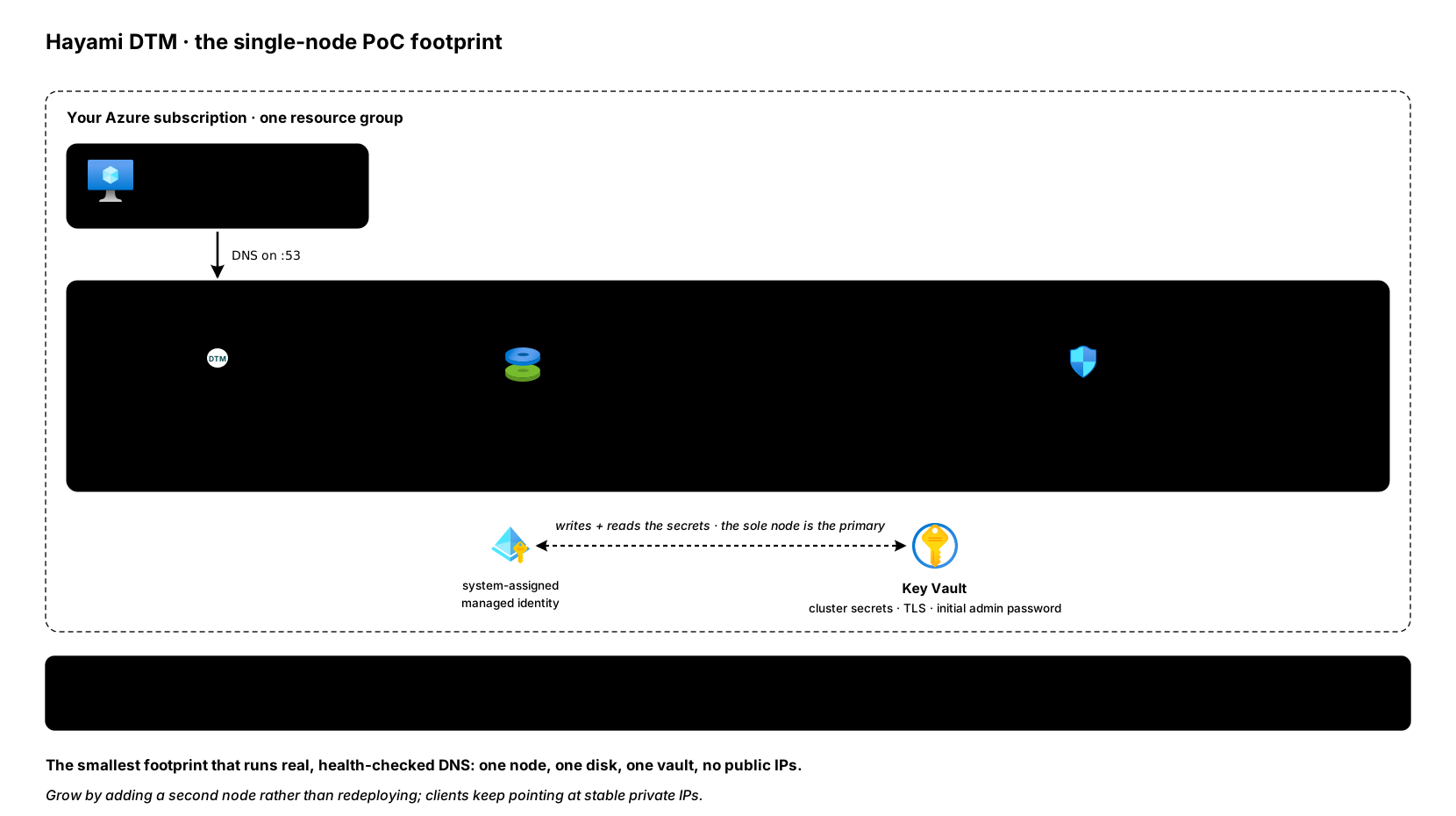
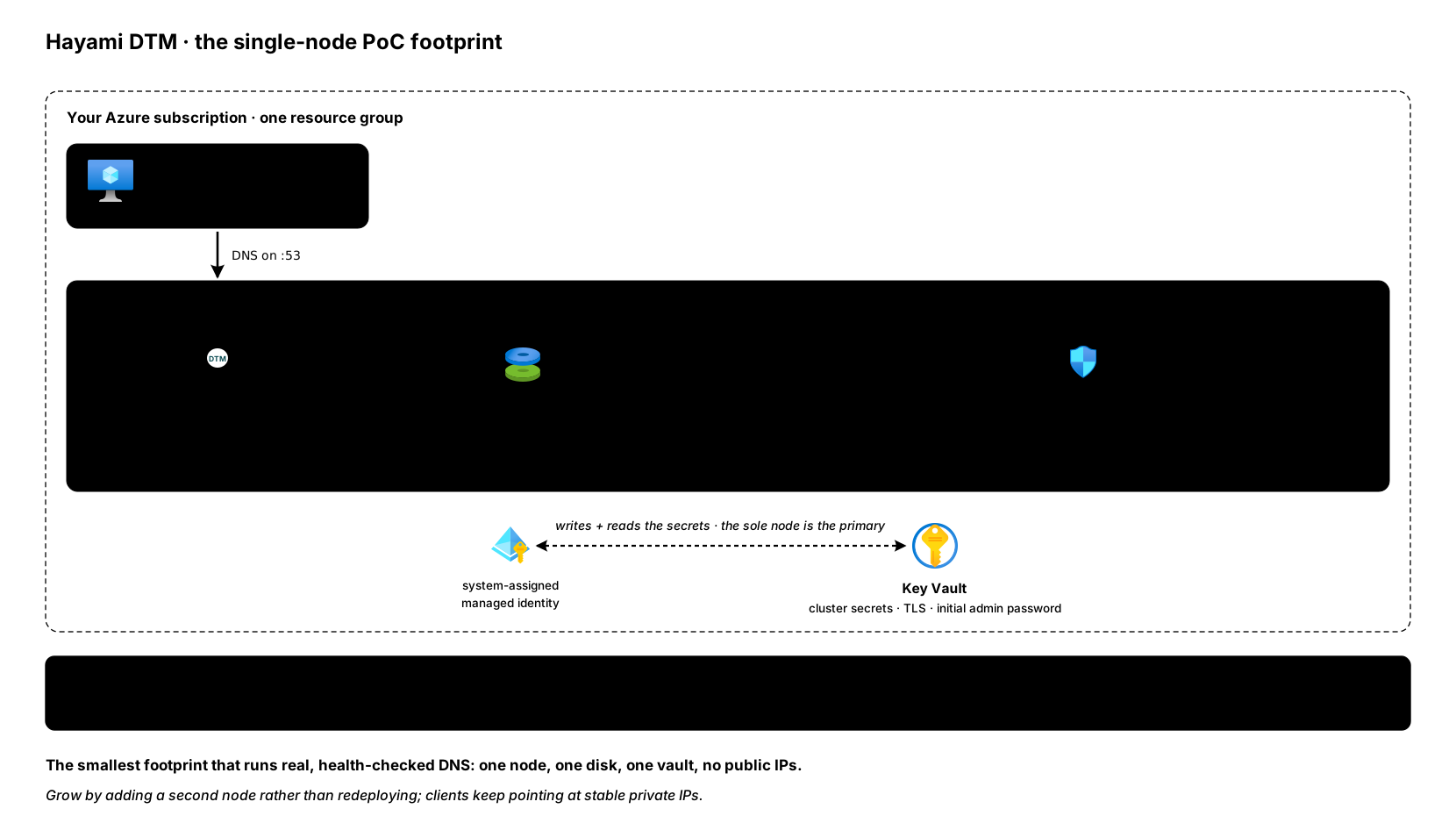
Choose your path
Section titled “Choose your path”- Web UI - point-and-click in the browser. No token needed; just log in. Skip straight to Create a zone.
- REST API - scriptable HTTP. Needs an API token (next step).
- Terraform - declarative and version-controlled. Needs an API token (next step), plus the provider setup.
Every step below has a tab for each path, so you only need to follow your own.
1. Get a token (REST API and Terraform only)
Section titled “1. Get a token (REST API and Terraform only)”The REST API and Terraform provider authenticate with a JWT bearer token.
Logging in sets the token as an HttpOnly dtm_token cookie (via Set-Cookie);
capture it from the response headers and pass it as a bearer token on
subsequent calls:
export DTM_ENDPOINT="https://dtm.internal:8443"export DTM_TOKEN=$(curl -sk -X POST "$DTM_ENDPOINT/api/v1/auth/login" \ -H "Content-Type: application/json" \ -d '{"username": "admin", "password": "<your-password>"}' \ -D - -o /dev/null | grep -i '^set-cookie: dtm_token=' \ | sed -E 's/.*dtm_token=([^;]+).*/\1/')2. Create a zone
Section titled “2. Create a zone”A zone is a DNS namespace DTM answers authoritatively (for example
example.internal.). Note the trailing dot.
- Go to Zones → Create Zone.
- Enter the zone name
example.internal.and a default TTL (for example300). - Save. The zone is created active and starts serving immediately; it reaches the rest of the cluster within moments.
curl -sk -X POST "$DTM_ENDPOINT/api/v1/zones" \ -H "Authorization: Bearer $DTM_TOKEN" \ -H "X-DTM-CSRF: 1" \ -H "Content-Type: application/json" \ -d '{"name": "example.internal.", "default_ttl": 300}'resource "dtm_zone" "example" { name = "example.internal." default_ttl = 300}3. Add a load-balanced, health-checked record
Section titled “3. Add a load-balanced, health-checked record”This creates web.example.internal pointing at two backends, round-robin
between the healthy ones, with an HTTP health check.
- Open the zone and choose Add Record.
- Set Name
web, TypeA, TTL60. - Add two values:
10.0.1.10and10.0.1.11. - Under Load balancing, choose round-robin.
- Under Health check, choose HTTP, port
80, path/healthz, and change the prefilled Interval from 30 to15seconds (matching the API and Terraform tabs). - Save.
curl -sk -X POST "$DTM_ENDPOINT/api/v1/zones/<zone-id>/records" \ -H "Authorization: Bearer $DTM_TOKEN" \ -H "X-DTM-CSRF: 1" \ -H "Content-Type: application/json" \ -d '{ "name": "web", "type": "A", "ttl": 60, "values": [{"value": "10.0.1.10"}, {"value": "10.0.1.11"}], "lb_policy": {"method": "round-robin"}, "health_check_template": { "protocol": "http", "port": 80, "path": "/healthz", "interval_seconds": 15, "timeout_seconds": 5 } }'resource "dtm_record" "web" { zone_id = dtm_zone.example.id name = "web" type = "A" ttl = 60
values { value = "10.0.1.10" } values { value = "10.0.1.11" }
lb_policy { method = "round-robin" }
health_check_template { protocol = "http" port = 80 path = "/healthz" interval_seconds = 15 timeout_seconds = 5 }}Run terraform apply (see provider setup for the
provider block).
4. Verify
Section titled “4. Verify”Query the record. DTM returns only healthy backends, one per query under round-robin:
dig @dtm.internal web.example.internal +shortIf a backend fails its health check, it is dropped from the answer once it crosses the failure threshold (under a minute with the 15 second interval above) and traffic shifts to the remaining healthy values.
Where to go next
Section titled “Where to go next”- Load-balancing methods: choose the right policy for your workload.
- ALIAS records (GSLB): balance across regions using hostnames instead of fixed IPs.
- Health checks: tune probes and detection speed.
- Manage with Terraform: put all of the above under version control.
- Adding nodes (scaling out): grow the cluster for more capacity or resilience.