
Security
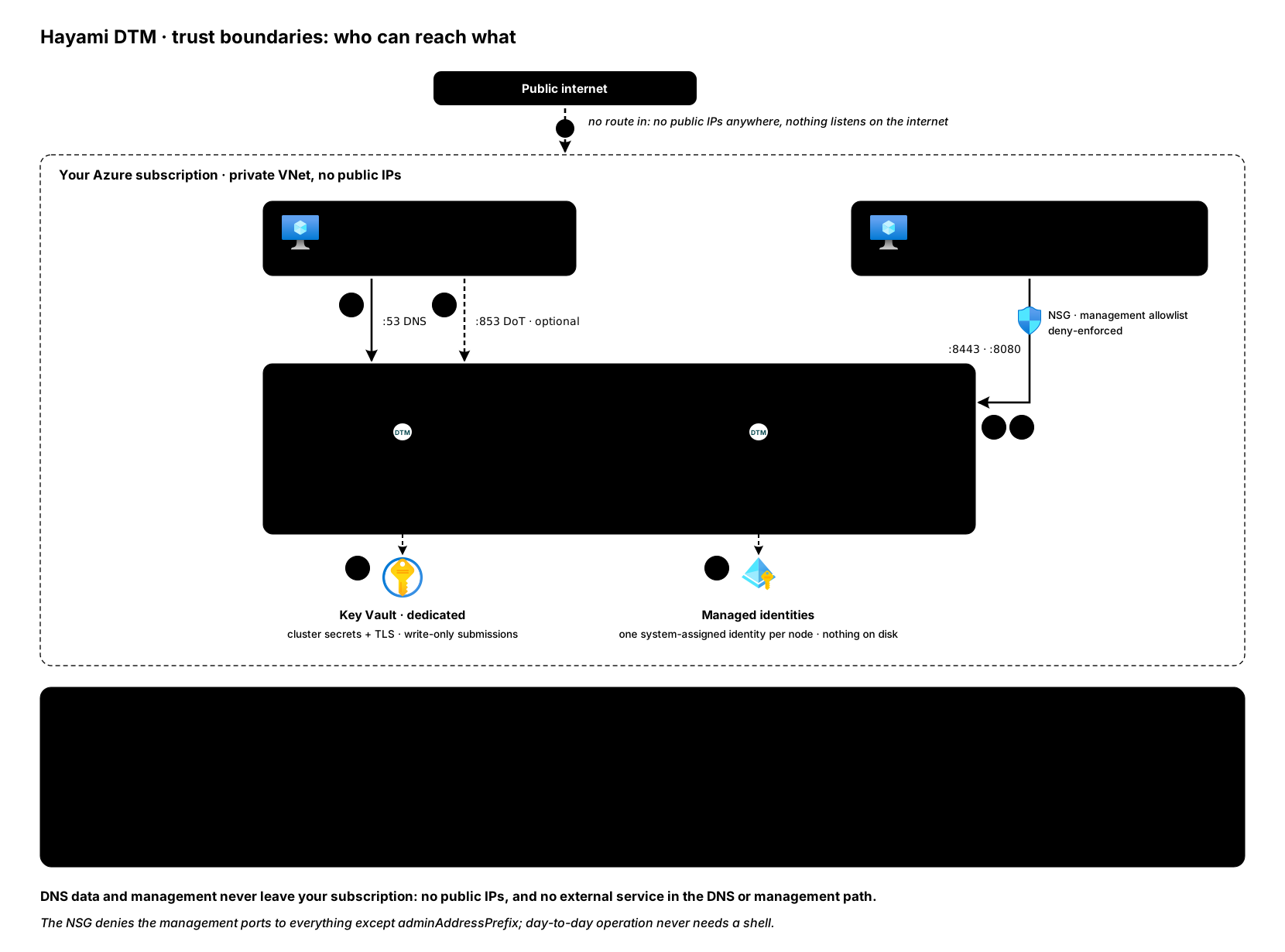
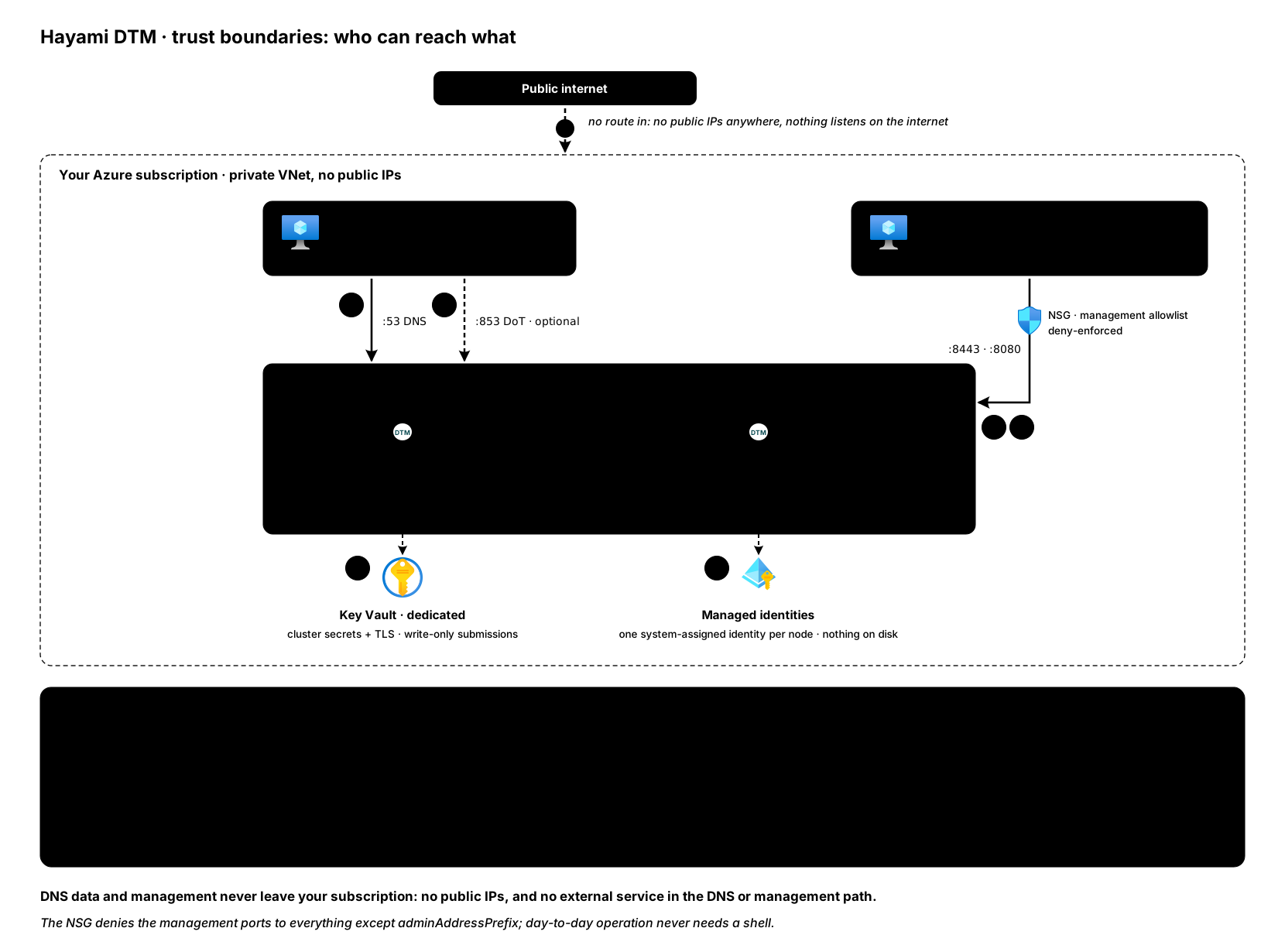
DTM runs entirely inside your own Azure subscription and VNet, so your DNS data never leaves your environment. On top of that boundary, it layers the controls below. This page is about the product; how Hayami operates as a vendor (what customer data we hold, how we build and ship, how we handle reports) is described at Security at Hayami.
Protections in place
Section titled “Protections in place”- Private-VNet boundary. DTM is deployed into your VNet; there is no external service in the DNS or management path. Restrict the management surfaces at the network layer (NSG / firewall) as described in Deploy.
- TLS on the API. The REST API and management surfaces are served over HTTPS.
Point clients at a certificate you trust; see
TLS certificates for the certificate lifecycle
and how to bring one from your own CA.
DNS-over-TLS (port
853), if enabled, is standard server-authenticated TLS: resolvers verify DTM’s certificate and are never asked for a client certificate. - Role-based access control. Three roles (
readonly,editor,admin) are enforced by the API and, through it, the Terraform provider. The web UI is stricter: its write controls are admin-only, so aneditorsees every page read-only and makes changes through the API or Terraform. Assign the least privilege each user or integration needs. See users and access. - Entra ID single sign-on. Centralise authentication with your tenant and derive DTM admin access from an Entra app role. See Entra ID SSO.
- Authenticated dynamic updates. RFC 2136 dynamic updates and zone transfers (AXFR) can require TSIG authentication, and AXFR can be restricted to an IP allowlist. Key names are matched case-insensitively, with or without the trailing dot, so keys named by standard tooling (nsupdate, dnssec-keygen) interoperate. See forwarding and the Terraform config.
- Write-only secrets. Secrets you submit (TSIG keys, health-probe tokens, client secrets and keys, OTLP export headers) are stored write-only: the API and UI never return them, and they are redacted in the audit log.
- Safe outbound probing. Health-check probes using OAuth2, mutual TLS, or
Managed Identity require HTTPS and verify the backend’s certificate by
default (an admin can relax verification cluster-wide, an audit-logged
setting; the HTTPS requirement itself cannot be relaxed). A probe whose only
credential is a static header is not blocked from plain HTTP, so configure
those with
https. Outbound probe and forwarding targets are screened so DTM does not connect to cloud-metadata endpoints, and loopback targets are rejected when configured. From v1.0.4 health checks also refuse the Azure WireServer and host-agent address168.63.129.16and every link-local address (169.254.0.0/16,fe80::/10), both when a check is saved and at every connection a probe makes. Forwarding to168.63.129.16, Azure’s DNS resolver, is unaffected. Managed Identity probes are admin-only and limited to allowed token audiences, and an editor who moves where a stored probe secret is sent must re-enter it. See authenticated health probes. - Encrypted forwarding. Forwarders can reach their upstreams over DNS over TLS or DNS over HTTPS with verified certificates, and an encrypted upstream never silently falls back to plaintext. See encrypted upstreams.
- Hardened OS access. The Marketplace image ships SSH locked down for break-glass use only: key-based authentication only, root login disabled, and logins restricted to the admin username you chose at deployment. The NSG does not open the SSH port; day-to-day operation goes through the UI, API, and Terraform, never the shell.
- API rate limiting. The API applies per-client rate limits to blunt
credential-stuffing and burst abuse. Requests from the web console are
limited per browser, not as one shared client, so no one can drain the
console’s sign-in budget and lock operators out (from v1.0.4; see
api_rate_limit.trusted_proxiesin configuration). - Auditing. Every change is recorded in a queryable audit log. See users and access.
- Cross-site request forgery protection. Every state-changing request (POST,
PUT, DELETE and PATCH) must send the
X-DTM-CSRFheader, as must the sensitive reads: the backup, the audit export, the zone exports and the debug tail. A browser page on another site cannot set that header, so it cannot trigger these calls. The sign-in, token-refresh and logout endpoints are exempt, as are the health, metrics and key endpoints, since they are called before a session exists or from outside the browser.
Operator responsibilities
Section titled “Operator responsibilities”Security is shared. On your side:
- Restrict the management ports. Expose the API (
8443), UI (8080), and cluster port (7946) only to trusted sources; never to the public internet. Set the deployment’sadminAddressPrefixparameter to your management subnet or CIDR rather than leaving the whole-VNet default; the NSG then denies the management ports to every other in-VNet source. The nodes also call each other’s API on8443: from v1.0.5 the NSG allows that from the same sources as replication traffic, so a narrowed prefix does not cut it off. On a cluster deployed earlier, keep the DTM node subnets inside the prefix, or add the node-to-node rules described in known limitations. See network access. - Keep secrets in Key Vault. Store the cluster’s secrets and TLS material in
Azure Key Vault (the deployment does this) and grant nodes least-privilege
access. Rotate credentials on your normal schedule; see
rotating secrets. The cluster encryption key (the
dtm-gossip-keysecret) is the most sensitive secret in a deployment. Protect it like the admin password: keep it in Key Vault and limit who can read the vault and the node VMs. Always set a backup passphrase, so the stored secrets in a backup stay protected. Restrict Key Vault access to the nodes and to break-glass administrators, and keep 7946 node-to-node only. - Encrypt the data disk. Enable Azure Disk Encryption (or dm-crypt) on the node data volume as defence in depth for data at rest.
- Protect your Azure account. Enable multi-factor authentication on the subscription and Key Vault; account takeover outweighs any software risk.
- Stay current. Apply DTM and OS updates promptly. See rolling upgrades.
Reporting a vulnerability
Section titled “Reporting a vulnerability”Please report security issues privately to [email protected]. Do not open a public issue for a security report.
We aim to acknowledge a report within 48 hours, and to send a status update at least every 5 business days until it is closed. A target fix date follows once the scope of the issue is clear.
Testing scope. Hayami operates no hosted DTM service: DTM runs inside your
own Azure subscription, so a customer deployment is yours, and not something we
can authorise third-party testing against. The only assets in scope for
unsolicited security testing are the public sites hayami.io and
docs.hayami.io.
The full vulnerability disclosure policy,
including the safe-harbour terms for good-faith research, is the page our
security.txt files reference.
Fixed vulnerabilities are published on Security advisories, which also describes how you are notified when a release addresses a security issue.