
Tag-based VM registration
Tag an Azure VM with a name, and DTM keeps that name’s addresses in step with your fleet. Tag-based VM registration discovers virtual machines and VM Scale Set instances carrying a registration tag and maintains the A (IPv4) and AAAA (IPv6) values of a record you created, adding addresses when VMs appear, updating them when IPs change, and removing them when VMs go away.
The division of ownership is strict, and it is the heart of the feature:
- You own the record. You pre-create it with
auto_populate: true, and everything you set on it stays yours: TTL,lb_policy,health_check_template,enabled,protected. Registration never touches them. - DTM owns the value list. On an
auto_populaterecord, the reconciler adds and removes addresses as the fleet changes. Do not edit the values yourself; the next cycle would put them back the way Azure says they should be.
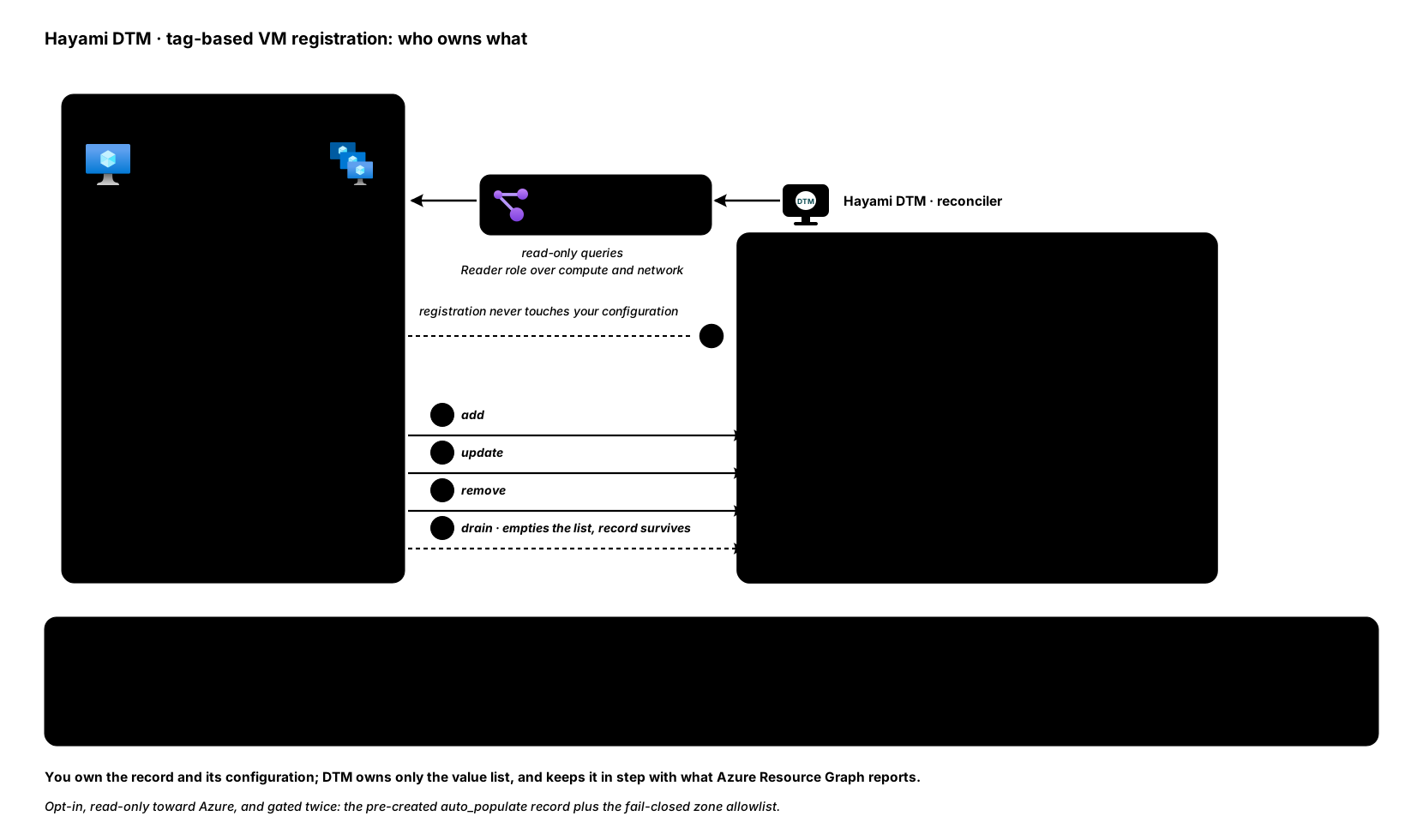
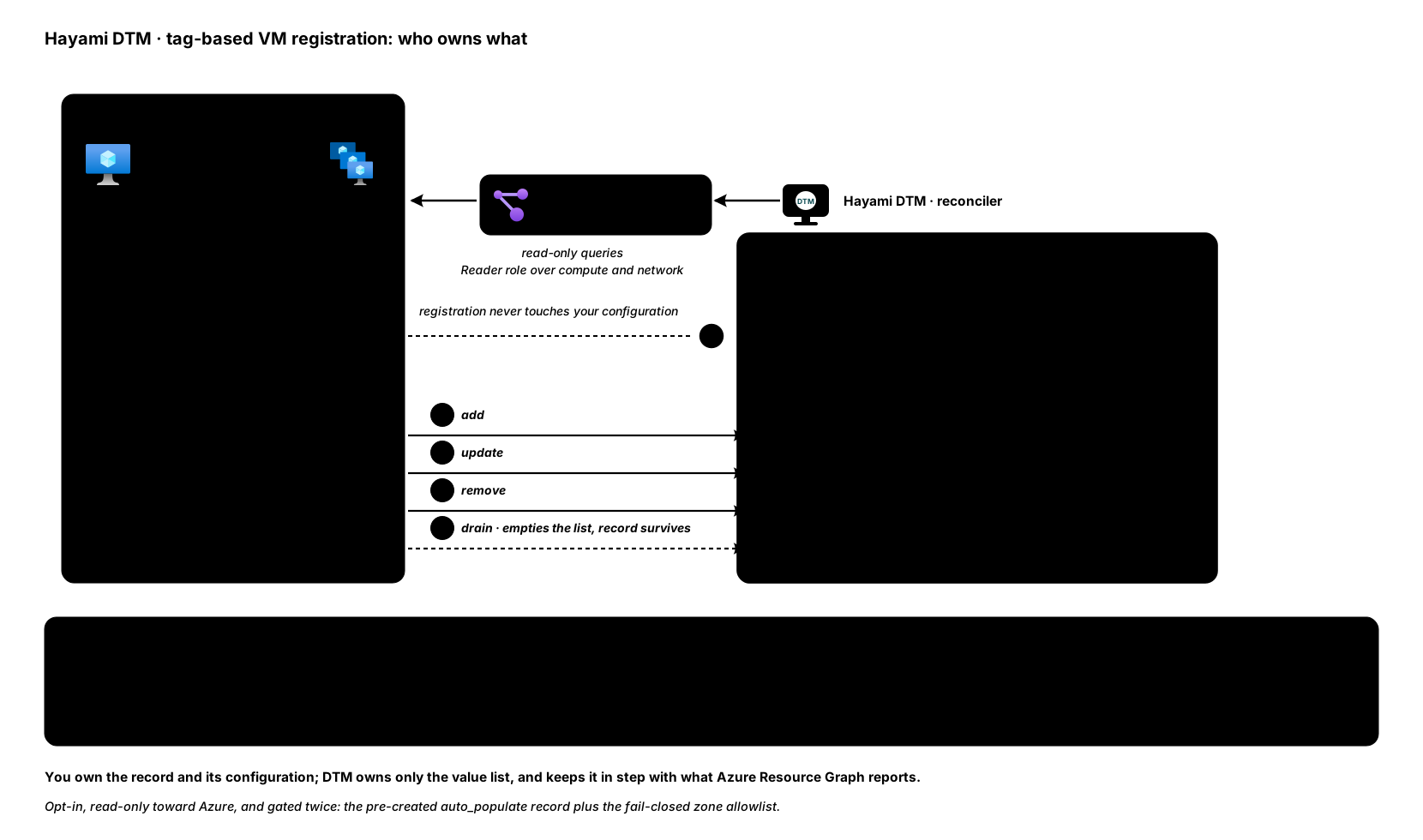
The integration is opt-in and read-only toward Azure: it is disabled by default, and when enabled it discovers everything through Azure Resource Graph queries. DTM never modifies your Azure resources.
Step 1: pre-create the record
Section titled “Step 1: pre-create the record”Create the record for the service name with auto_populate: true and no
values (requires a bearer token; see the
API overview):
curl -sk -X POST https://<dtm>:8443/api/v1/zones/<zone-id>/records \ -H "Authorization: Bearer $DTM_TOKEN" \ -H "X-DTM-CSRF: 1" \ -H "Content-Type: application/json" \ -d '{ "name": "api", "type": "A", "ttl": 30, "auto_populate": true, "lb_policy": {"method": "round-robin"}, "health_check_template": {"protocol": "https", "port": 443, "path": "/healthz"} }'This is the only record shape that may be created with an empty value list: an auto-populated record with no values is a service that currently has no instances, and it answers NODATA rather than NXDOMAIN, so resolvers do not cache a negative for a name that is about to come back.
Constraints on auto_populate records (all rejected with 400):
valuesmust be omitted on create, andPUTmay not carryvalueseither. To take the addresses back into your own hands, send{"auto_populate": false, "values": [...]}in one request.- Only
AandAAAAtypes. lb_policy.value_weightsis rejected: weights key on the address itself, and DTM changes those addresses as the fleet does. Every other method (round-robin,region,geo-failover,failover,latency, client affinity) copes with a changing value set.
In Terraform, use the dedicated
dtm_auto_record resource, which
has no values attribute at all, so a plan can never diff on a list DTM
owns.
Step 2: tag the VM
Section titled “Step 2: tag the VM”Add the registration tag to a VM or a VM Scale Set:
az vm update -g rg-app-prod -n vm-api-01 \ --set "tags.dtm-register=api.example.internal"On the next cycle, DTM adds the VM’s primary NIC private IPs to your record’s values:
dig @<dtm> api.example.internal +short10.30.1.12Multiple VMs, one name. If several VMs, or the instances of a VMSS, carry the same FQDN in their tag, their addresses collapse into that one record, which DTM then load balances with the policy you configured:
dig @<dtm> api.example.internal +short10.30.1.1210.30.1.1310.30.1.14The tag key defaults to dtm-register and is
configurable. Tag
names are matched the way Azure treats them, case-insensitively, so a tag
typed as DTM-Register still registers.
Both VM Scale Set orchestration modes are supported: Uniform, and Flexible (the Azure default for new scale sets), whose instances are standalone VM resources that reference the scale set. For a Uniform scale set, DTM reads each instance’s address from the scale set’s network interfaces in Resource Graph. (Changed in v1.0.5: earlier releases did not find the addresses of Uniform scale set instances.)
When a service goes away
Section titled “When a service goes away”A departed service, whether scaled to zero, untagged, or deleted, empties its record rather than deleting it. The record survives with all of its configuration (TTL, LB policy, health template) and answers NODATA until the service returns. Registration never deletes a record.
Removal of individual addresses is still cycle-gated: values are only removed
after a complete discovery cycle. A partial cycle (a truncated result, an
unreadable subscription) can add addresses but never removes them, so a
transient Azure error cannot take live backends out of DNS. A query that Azure
refuses, or that fails, fails the whole cycle (from v1.0.5): nothing is added
or removed, and dtm_tag_registration_run_errors_total counts it.
Health checks
Section titled “Health checks”Set the health configuration on the record itself via
health_check_template, as in step 1. Per-address checks are instantiated
automatically for each value and follow their address: adding or removing one
VM leaves every other backend’s accumulated health state untouched.
The legacy dtm-healthcheck VM tag no longer configures anything. Health
configuration belongs to the record; if a VM carries a dtm-healthcheck tag
that disagrees with the record’s template, the tag is reported in the server
log and otherwise ignored.
The zone allowlist
Section titled “The zone allowlist”Registration remains gated by a mandatory zone allowlist. A tagged FQDN only registers if it is covered by an allowlisted DTM zone that is Active, using the most specific match when zones nest.
Prerequisites
Section titled “Prerequisites”- Discovery scopes. Tag registration looks only inside the enabled
discovery scopes:
subscription, resource-group and
management-group scopes. A
management-group scope covers the member subscriptions you confirmed when
you created it (or last re-confirmed it), the same set region discovery
uses. A management group with no confirmed member subscriptions is skipped,
and that cycle reports
"complete": false, so nothing is removed. With no usable scope at all it queries nothing, and a run reports"complete": false. - Reader. The node’s managed identity needs the Reader role over the compute and network resources in scope, so the Resource Graph queries can see the VMs, VMSS instances, and their NICs.
- Outbound HTTPS (port 443) to
management.azure.comfrom each node, where Resource Graph is served. A new Azure subnet is private by default, so a node with no public IP needs an outbound path, for example a NAT gateway on its subnet or a route through a firewall that allows that host. Without it, every query times out and the cycle fails.
The Cluster permissions card on the Lifecycle page (and
GET /api/v1/lifecycle/identity) adds a Resource Graph read row for tag
registration only if the policy was enabled when the node started. After you
enable it at runtime, the row appears at the node’s next restart; its absence
until then is not a permission fault.
Configuration
Section titled “Configuration”Like Private Endpoint automation, tag-based
registration is a runtime policy: set it through the API, the web UI
(Settings then Tag Registration), or
Terraform. Reading the policy works with any role (readonly,
editor, or admin); changing it and triggering a run need the admin
role. Capture the $DTM_TOKEN bearer token per the
API overview.
Read the policy in force:
curl -sk https://<dtm>:8443/api/v1/config/tag-registration \ -H "Authorization: Bearer $DTM_TOKEN"Enable it:
curl -sk -X PUT https://<dtm>:8443/api/v1/config/tag-registration \ -H "Authorization: Bearer $DTM_TOKEN" \ -H "X-DTM-CSRF: 1" \ -H "Content-Type: application/json" \ -d '{ "enabled": true, "tag_key": "dtm-register", "zone_allowlist": ["example.internal.", "db.example.internal."], "interval_seconds": 300 }'| Field | Meaning |
|---|---|
enabled |
Whether the periodic cycle runs. false by default; while it is off, the periodic cycle makes no Azure calls. |
tag_key |
The tag whose value names the record. Empty means dtm-register. 1 to 128 letters, digits, ., _, or -. |
zone_allowlist |
The zone allowlist. Empty registers nothing. Stored lower-case with a trailing dot, sorted, and without duplicates. |
interval_seconds |
The cycle cadence in seconds, 0 to 86400. 0 or unset means 300. |
A value outside these rules, or an unknown field, is refused with 400 and
nothing is stored. The response is the policy as stored, so it shows the
normalized allowlist rather than what you typed.
PUT replaces the whole policy. An omitted field resets to its default (an
omitted enabled turns registration off), so send every field.
- Cluster-wide. A PUT on any node reaches every node, and a node that missed the update catches up automatically within seconds. Every node runs the cycle, so every node must use the same tag key and allowlist; if two changes race, every node settles on the same one.
- Live, except the interval.
enabled,tag_key, andzone_allowlistare read at the start of every cycle, so a change applies on the next cycle with no restart.interval_secondsis read when the node starts, so a new interval applies at each node’s next restart; run a cycle instead of waiting. - Persisted. The policy survives restarts, and every change is recorded in the audit log.
Boot configuration (the seed)
Section titled “Boot configuration (the seed)”The azure.tag_registration_* keys in the server configuration file are only
the seed: they apply while the cluster has never stored a policy.
azure: tag_registration_enabled: true tag_registration_interval_seconds: 300 # default 300 tag_registration_tag_key: dtm-register # default tag_registration_zone_allowlist: - example.internal - db.example.internal tag_registration_client_id: '' # optional user-assigned MIEach setting has an environment equivalent under the
DTM_AZURE_TAG_REGISTRATION_* prefix, for example
DTM_AZURE_TAG_REGISTRATION_ENABLED=true.
Once a policy is stored, whether by the API, the UI, Terraform, or replication from a peer, it replaces the seed wholesale at every boot, and editing the YAML no longer changes registration. A seed that fails validation (a tag key with a forbidden character, an invalid zone name) is refused with a startup warning, and registration stays disabled until a valid policy is set.
tag_registration_client_id is not part of the runtime policy and stays a
file (or environment) setting. Set it only if the node should authenticate
with a specific user-assigned managed identity instead of the default.
Terraform
Section titled “Terraform”The dtm_tag_registration_config resource (admin role) declares the
policy. It is a singleton (import ID tag-registration) and replicated, so
declare it once: one apply reaches every node.
resource "dtm_tag_registration_config" "tags" { enabled = true tag_key = "dtm-register" zone_allowlist = ["example.internal.", "db.example.internal."] interval_seconds = 300}zone_allowlist is a set, so order and duplicates never produce a diff.
Write each zone lower-case with a trailing dot, the form the server stores;
the provider refuses anything else at plan time. An attribute you leave out
keeps its current value on the server.
Destroying the resource disables registration and clears the allowlist; it never touches a record. That disabled policy is itself a stored policy, so it outlives restarts: re-enable through the API, the UI, or Terraform, not the YAML.
Run a cycle now
Section titled “Run a cycle now”To run a discovery cycle immediately instead of waiting for the interval (requires the admin role; the UI’s Run one scan now button does the same):
curl -sk -X POST https://<dtm>:8443/api/v1/tag-registration/run \ -H "Authorization: Bearer $DTM_TOKEN" \ -H "X-DTM-CSRF: 1"The response reports what the cycle actually did:
{ "complete": true, "updated": 2, "drained": 0, "skipped": 0, "unclaimed": 1 }complete: whether Azure’s answer was authoritative.falsemeans values may have been added but nothing was removed or drained: no discovery scope is enabled, a result was truncated, a scope was skipped, a tagged scale set’s ID failed validation, or DTM could not show it can read a subscription. The node log says which, and the settings page shows the same warning. (Added in v1.0.5.)updated: records whose value list changed.drained: records emptied because their service departed.skipped: tagged resources refused by the zone allowlist or with invalid tag values.unclaimed: tags naming a record nobody has pre-created.
A run works while the policy is disabled, so you can check a policy with
a real run before switching the periodic cycle on. It is not a dry run: it
applies the current tag key and allowlist, writes value lists, and on a
complete observation drains allowlisted records whose service has gone,
exactly as a scheduled cycle would. It answers 409 while another cycle is
already running.
A query Azure refuses, or that fails, answers 502 with the error (and,
when Azure answered, its status and error code), and the cycle changes nothing
(from v1.0.5). Earlier releases
answered 200 with all-zero counts, which read the same as an estate with
nothing tagged.
Troubleshooting
Section titled “Troubleshooting”If a tagged VM does not publish, check in this order:
- Pre-created record: does a record with
auto_populate: trueexist at the tagged name? If not, the tag counts asunclaimedand nothing is published. - Policy and allowlist: is the policy enabled, and is the FQDN covered
by an allowlisted zone that is Active?
GET /api/v1/config/tag-registration(or Settings then Tag Registration) shows the policy in force. An empty allowlist registers nothing. - Permissions and reachability: does the managed identity have Reader
over the VM and its NIC, and is the subscription inside an enabled
discovery scope (a subscription or resource-group scope, or a management
group whose member subscriptions you confirmed)? A subscription DTM cannot read degrades the cycle to
incomplete (
"complete": false), which pauses value removal until access is restored. A502from a run, or a timeout in the log, points at Azure refusing the query or at no outbound path tomanagement.azure.com. - Logs and counters:
skippedandunclaimedcounts in the run response, plus ignoreddtm-healthchecktags and unresolvable NICs, are logged on each cycle.