
Regions and subnet mapping
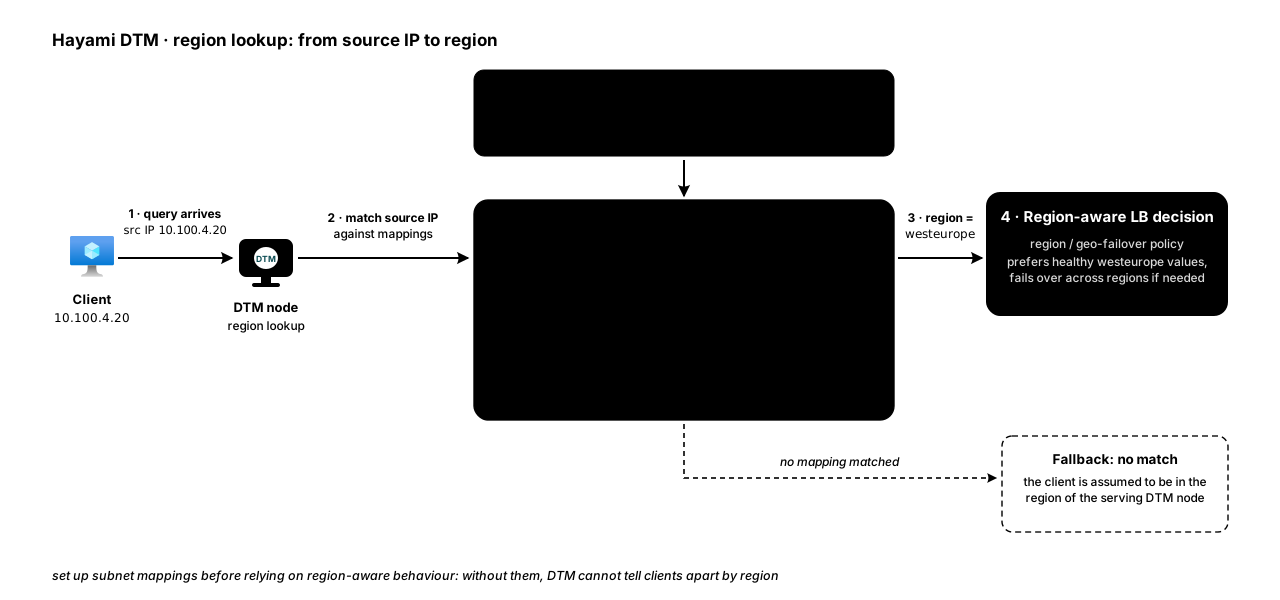
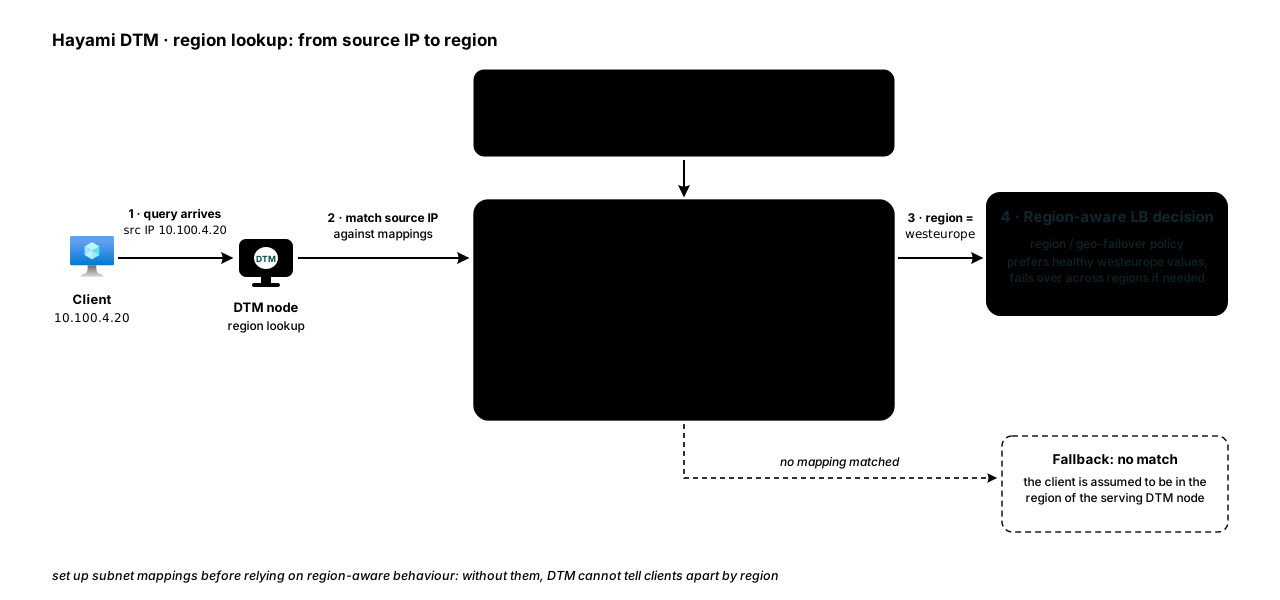
Region-aware load balancing (region and
geo-failover) needs to know which region a client and each backend belong
to. DTM works this out from IP addresses using subnet mappings.
Regions
Section titled “Regions”A region in DTM is simply a string identifier you choose, such as northeurope
or westeurope. Regions are not separate objects to manage; they come into
existence when you reference them on a subnet mapping or a record value. The set
of known regions is derived from those references.
Region matching is case-insensitive and ignores spaces, the way Azure treats
locations: a value tagged East US or EastUS matches a mapping or discovery
result that says eastus. A genuinely different region is still remote; only
case and spaces are ignored.
Fallback order, from v1.0.7. A client is answered from its own region first.
When no value is in that region, the values in its parent or in a sub-region
stand in for each other: eastus and eastus/spoke-a match each other, but two
sibling sub-regions do not. Only then does DTM answer from every region.
When no value passes its health check, a record that uses a script template is
answered with the values whose checks have not failed (a script check that has
not run yet, for example) instead of the values that have failed. Any other
record, or a script-template record whose checks have all failed, is answered
with all its enabled values.
Subnet mappings
Section titled “Subnet mappings”A subnet mapping ties a CIDR block to a region. From v1.0.7 the web UI shows them on the Region Mappings card (formerly Subnet Mappings), since a discovered row is a VNet address-space prefix and a manual row can be any range, an on-premises one for example; the API and Terraform keep the subnet mapping names:
{ "subnet": "10.100.0.0/16", "region_id": "northeurope" }DTM uses these to:
- Determine a client’s region from the source address of a DNS query.
- Infer a value’s region when you have not tagged it explicitly.
When CIDRs overlap, a mapping’s optional priority decides which one wins (higher priority wins); otherwise the most specific prefix match applies.
Azure region discovery (optional)
Section titled “Azure region discovery (optional)”Rather than maintain subnet mappings by hand, you can let DTM discover your Azure VNet address space and generate region mappings for you. You define one or more discovery scopes (a subscription, optionally narrowed to a resource group), and DTM walks them using its managed identity’s read access to build subnet-to-region mappings.
Each node needs outbound HTTPS (port 443) to management.azure.com, which
serves both discovery backends below. A new Azure subnet is private by
default, so a node with no public IP needs an outbound path, for example a
NAT gateway on its subnet or a route through a firewall that allows that host.
Without it, every discovery scope times out. Tag registration and
Private Endpoint automation need the same path.
Discovery detects on a timer; you apply. The periodic loop queries Azure,
diffs the result against the stored mappings, and reports what changed. It
does not write mappings on its own: an administrator reviews the pending diff
(in the web UI or via
POST /api/v1/discovery/run?dry_run=true) and applies it. An unapplied
mapping is benign; an unmapped client is treated as being in the serving
node’s region, so resolution keeps working while a change waits for review.
Set azure.region_discovery_auto_apply: true to restore the previous
apply-on-a-timer behaviour.
Two safety rules apply to every cycle:
- Removals are only ever proposed from a complete observation. Azure filters by RBAC rather than erroring, so a subscription the identity has lost Reader on looks identical to an empty one. If a cycle could not see the whole configured estate, additions are still offered but no removals are, because the likeliest cause of a large proposed removal is a lapsed role assignment, not a deleted estate.
- Newly observed Azure regions are surfaced in the diff, so an estate expanding into a region with no DTM presence is visible to whoever plans capacity, instead of being absorbed silently.
Discovered mappings are marked as coming from Azure so you can tell them
apart from ones you created manually, and manual mappings always carry
source: manual (the API refuses any other value, so automation cannot
disguise a hand-made mapping as a discovered one, or vice versa). You can add
manual mappings alongside discovered ones.
Management-group scopes
Section titled “Management-group scopes”For estates spanning many subscriptions, a discovery scope can name an Azure
management group instead of a single subscription
(kind: "management-group"). Grant the DTM identity Reader once at the
management group and every subscription underneath becomes usable, instead
of managing a role assignment per subscription.
A management-group scope is a reviewed shortcut, not an open-ended grant of trust:
- DTM never expands a management group on its own. Creating the scope
requires the explicit list of subscriptions it covers. You preview the
group first (in the UI or via
GET /api/v1/discovery/available-management-groups), see which member subscriptions the identity can and cannot read, and confirm the set you are authorising. A subscription that joins the group later cannot start being scanned without someone approving it. - Preview with verification. The quick preview infers readability from the roles the identity holds anywhere in each subscription, which can be optimistic (Reader on one resource group makes the whole subscription appear). The verified preview issues the same subscription-wide read discovery actually performs, so what it reports readable really is.
- Membership drift is detected, reviewed, and applied, like mapping
changes: each cycle re-reads the group and reports subscriptions that
joined (proposed additions), left the group (proposed removals), or are
still in the group but no longer readable. That last case is a revoked
role assignment, not a membership change, and is deliberately never
proposed for removal: dropping it would turn a permissions problem into
deleted routing state. Instead, cycles report themselves incomplete until
you restore the grant or remove the subscription deliberately.
region_discovery_auto_apply: trueapplies membership drift on the timer too; the default is manual for both.
Subscription scopes keep working unchanged, and both kinds can coexist.
Resource Graph backend (optional)
Section titled “Resource Graph backend (optional)”Discovery has two interchangeable backends. The default walks each scope with
per-resource ARM calls. The resource-graph mode instead runs a single Azure
Resource Graph query across every enabled scope, which is faster and scales
better across many subscriptions. Your discovery scopes and the resulting
mappings are identical either way.
Switch the mode at runtime, no restart needed, from the Region Discovery
settings card in the web UI, the
dtm_region_discovery_config Terraform
resource, or PUT /api/v1/config/region-discovery (admin). A persisted value
wins over the azure.region_discovery_mode server-config seed, which just sets
the initial default. For resource-graph, the managed identity needs Resource
Graph Reader covering every subscription in scope; an unentitled switch
fails closed and is reversible by switching back. Discovery is conservative
with cleanup on both backends: stale mappings are pruned only after a fully
successful cycle, so a partial or truncated query never removes mappings.
Changed in v1.0.7: Resource Graph indexes new subscriptions, resource groups
and resources some time after they exist. When it returns nothing for a scope
but an ordinary Azure list call shows virtual networks there, the scope is left
alone for that cycle and the cycle reports itself incomplete. A scope that is
readable and genuinely empty is still pruned.